
The Ledger Report shows you who owes what. You scan the list, spot a customer with a balance due, and the next step is obvious: get in touch. But if that means leaving the report, navigating to party masters, copying the phone number, and manually dialling, the report points out the issue without helping you act on it. SocioLedger’s new Mobile number in ledger report setting bridges that gap by placing a direct call shortcut right next to ledger names.
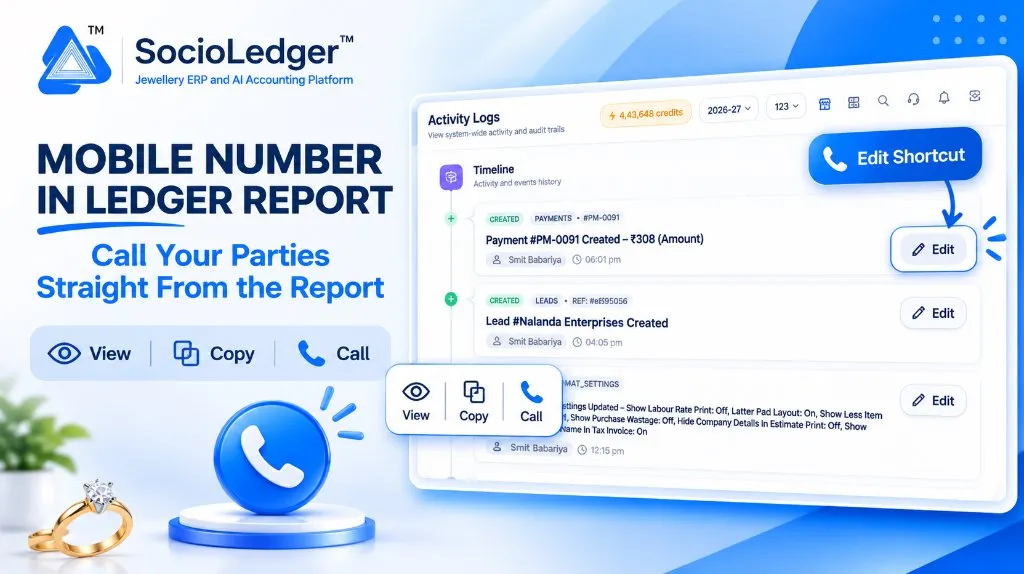
Table of contents
Open Table of contents
- The friction between spotting an overdue balance and following up
- What’s new: The Mobile Number in Ledger Report setting
- Smart visibility: Only where a phone number exists
- Comparing collection workflows
- Why this matters for jewelry businesses
- Feature comparison
- How it works: Step-by-step setup guide
- Where to find the setting
- Part of SocioLedger’s integrated jewelry management suite
- From balance to conversation without leaving the report
The friction between spotting an overdue balance and following up
In high-tempo jewelry hubs like Zaveri Bazaar in Mumbai, Surat’s bullion corridors, Rajkot’s wholesale bazaars, and Karol Bagh in Delhi, daily collections and credit reconciliations are central to cash flow. Showroom managers and accountants open the Ledger Report every morning to review debtor positions, check outstanding bullion bills, and track party balances.
Spotting an overdue balance takes only a second. But taking action on that information traditionally meant dealing with frustrating administrative friction:
- Leaving the active report: You had to exit or minimize the Ledger Report where you had already filtered specific date ranges and groups.
- Searching the party master: You had to navigate over to Customer or Supplier ledgers and search for the party name again just to view contact details.
- Manual note-taking or typing: Staff scribbled phone numbers on desk pads or manually typed 10-digit numbers into desk phones or personal mobile devices.
- Losing report context: By the time the call was complete, returning to where you left off in the Ledger Report required reapplying filters or re-running reports.
When collections require making dozens of reminder calls a day before bank cut-off times, this repetitive navigation wastes valuable time.
What’s new: The Mobile Number in Ledger Report setting
Inside Settings, you can now toggle Mobile number in ledger report. Once activated, the Ledger Report automatically inserts a clean call icon directly adjacent to ledger names.
Clicking the call icon opens an instant contact popup right on the row:
- View: Display the full phone number clearly on screen for immediate verification.
- Copy: Copy the 10-digit mobile number with one click to paste into WhatsApp, email, or digital diallers.
- Call: Trigger a direct phone call via your browser-linked VoIP software, softphone, or connected mobile device.
The underlying ledger statement remains identical. Your columns, debit-credit entries, running totals, and date filters stay untouched — you simply gain a contextual communication bridge where you need it most.
+-------------------------------------------------------------------------------+
|  LEDGER REPORT                                                                |
+-------------------------------------------------------------------------------+
|  Ledger Name          | Group            | Debit (₹)    | Credit (₹) | Balance|
|-----------------------|------------------|--------------|------------|--------|
|  Customer ABC  [📞]   | Sundry Debtors   | 2,45,000.00  | 50,000.00  | Dr ... |
|       ┌───────────────┴─────────────────┐|              |            |        |
|       |  [👁 View]  [📋 Copy]  [📞 Call]| |              |            |        |
|       |  +91 98765 43210                | |              |            |        |
|       └─────────────────────────────────┘|              |            |        |
|  Shree Bullion [📞]   | Sundry Creditors | 1,12,000.00  | 3,80,000.00| Cr ... |
|  Cash-in-Hand         | Cash             | 75,000.00    | 12,000.00  | Dr ... |
+-------------------------------------------------------------------------------+
Smart visibility: Only where a phone number exists
A major concern with adding icons to tabular accounting reports is visual clutter. SocioLedger addresses this with intelligent display rules:
- Active only for contactable parties: The call icon appears exclusively for ledgers that have a valid mobile number saved in their master profile, such as retail customers, corporate buyers, outstation wholesalers, artisan karigars, and metal suppliers.
- Hidden for non-party accounts: General ledger accounts — including Cash-in-Hand, Bank Accounts, Capital, Rent, Electric Expense, GST Input, or Gold Melting Loss — never show an icon.
This keeps the report clean and uncluttered. You only see communication shortcuts where a conversation is actually possible.
Comparing collection workflows
The difference between disconnected accounting software and SocioLedger’s integrated call shortcut is substantial:
+-----------------------------------------------------------------------------+
|               Traditional Ledger Payment Follow-Up Workflow                 |
+-----------------------------------------------------------------------------+
|                                                                             |
|   [ Open Ledger Report ] ──► [ Spot Outstanding Balance for Customer ]      |
|                                       │                                     |
|                                       ▼                                     |
|                      [ Leave Report ──► Open Master Menu ]                  |
|                                       │                                     |
|                                       ▼                                     |
|                      [ Search Customer in Directory ]                       |
|                                       │                                     |
|                                       ▼                                     |
|                      [ Copy / Transcribe Phone Number ]                     |
|                                       │                                     |
|                                       ▼                                     |
|                      [ Manually Dial on Mobile Device ]                     |
|                                                                             |
|   Result: 4-5 extra clicks, manual re-typing, lost screen context           |
+-----------------------------------------------------------------------------+
|              SocioLedger Direct Ledger Call Follow-Up Workflow              |
+-----------------------------------------------------------------------------+
|                                                                             |
|   [ Open Ledger Report ] ──► [ Spot Outstanding Balance ]                   |
|                                       │                                     |
|                                       ▼                                     |
|                      [ Click Call Icon Beside Party Name ]                  |
|                                       │                                     |
|                                       ▼                                     |
|                      [ View / Copy / Call in Single Click ]                 |
|                                                                             |
|   Result: Zero screen switching, instant outreach, 100% focus retained      |
+-----------------------------------------------------------------------------+
Why this matters for jewelry businesses
Enabling quick phone access inside the Ledger Report creates immediate operational advantages:
- Act on balances immediately: Go from noticing an overdue payment to speaking directly with the client in seconds.
- Zero hunting for contact info: Eliminate constant toggling between customer directories and financial ledgers.
- Flexible contact options: View the number to verify identity, copy it to clipboard for a quick WhatsApp reminder, or click call to dial instantly.
- Tidy, clutter-free layout: Accounts without registered mobile numbers remain clean and quiet.
- Completely optional: If your administrative team prefers reports without action icons, the feature can be toggled off at any time.
- Incentivizes complete master data: The more complete your customer and supplier master records are, the more powerful your daily reporting workflow becomes.
Feature comparison
| Capability | Traditional Jewelry Software | SocioLedger Ledger Report |
|---|---|---|
| Contact Access | Hidden inside separate master ledger screens | One click beside party name in the report |
| Action Options | Manual transcription only | View, 1-Click Copy, or Direct Call |
| Visual Clutter Control | Blanket columns or no phone display | Smart icon shows only when number exists |
| System Account Cleanliness | N/A or empty columns everywhere | Expense, bank, and cash ledgers stay pristine |
| Workflow Interruptions | Frequent tab switching and filter reloads | Zero interruptions; report stays open |
| User Preference | Fixed software layout | Configurable toggle inside Settings |
How it works: Step-by-step setup guide
Enabling and using the call shortcut takes less than a minute:
- Open Settings: Log in to SocioLedger and navigate to Settings from the main sidebar.
- Enable the setting: Locate Mobile number in ledger report and toggle the switch to On.
- Open Ledger Report: Navigate to Reports → Ledger Report and apply your usual filters (date range, ledger group, or branch).
- Spot the call icon: Notice the small blue phone icon beside party names that have a registered mobile number.
- View, copy, or call: Click the icon to view the full digits, copy them to your clipboard, or initiate a call straight away.
Where to find the setting
- Setting Toggle: Go to Settings → System Preferences → Mobile number in ledger report.
- Report Shortcut: Go to Reports → Ledger Report (the call icon appears next to eligible ledger names in the table).
Part of SocioLedger’s integrated jewelry management suite
The mobile call shortcut works hand-in-hand with SocioLedger’s dedicated tools designed for jewelry retail showrooms, bullion traders, and wholesale workshops:
- Directory-wide contact review: Inspect phone numbers, GSTINs, and birthdays across all parties using the Customer Detail Report.
- Instant payment collection: Share counter QR codes and WhatsApp payment links with Secure UPI Checkout.
- Fast party discovery: Filter vouchers and parties with the Ledger Search Field-Wise Filter.
- Tamper-proof accounting: Lock verified transactions from post-audit modification with Lock Ledger Period.
- Balance trajectory tracking: Audit opening and closing balances using the Ledger History Panel.
From balance to conversation without leaving the report
A financial report is most valuable when it drives action. When an accountant or showroom owner reviews ledger balances, discovering an overdue account should lead immediately to resolution, not extra administrative steps.
With the Mobile number in ledger report setting, SocioLedger puts party communication right where decisions happen — allowing jewelers to go from spotting an outstanding balance to speaking with the customer in a single click.
Want quick contact options added somewhere else in the platform? Tell us — contact our team and we will be glad to look into it.